

SharePoint Mentor Curated Articles
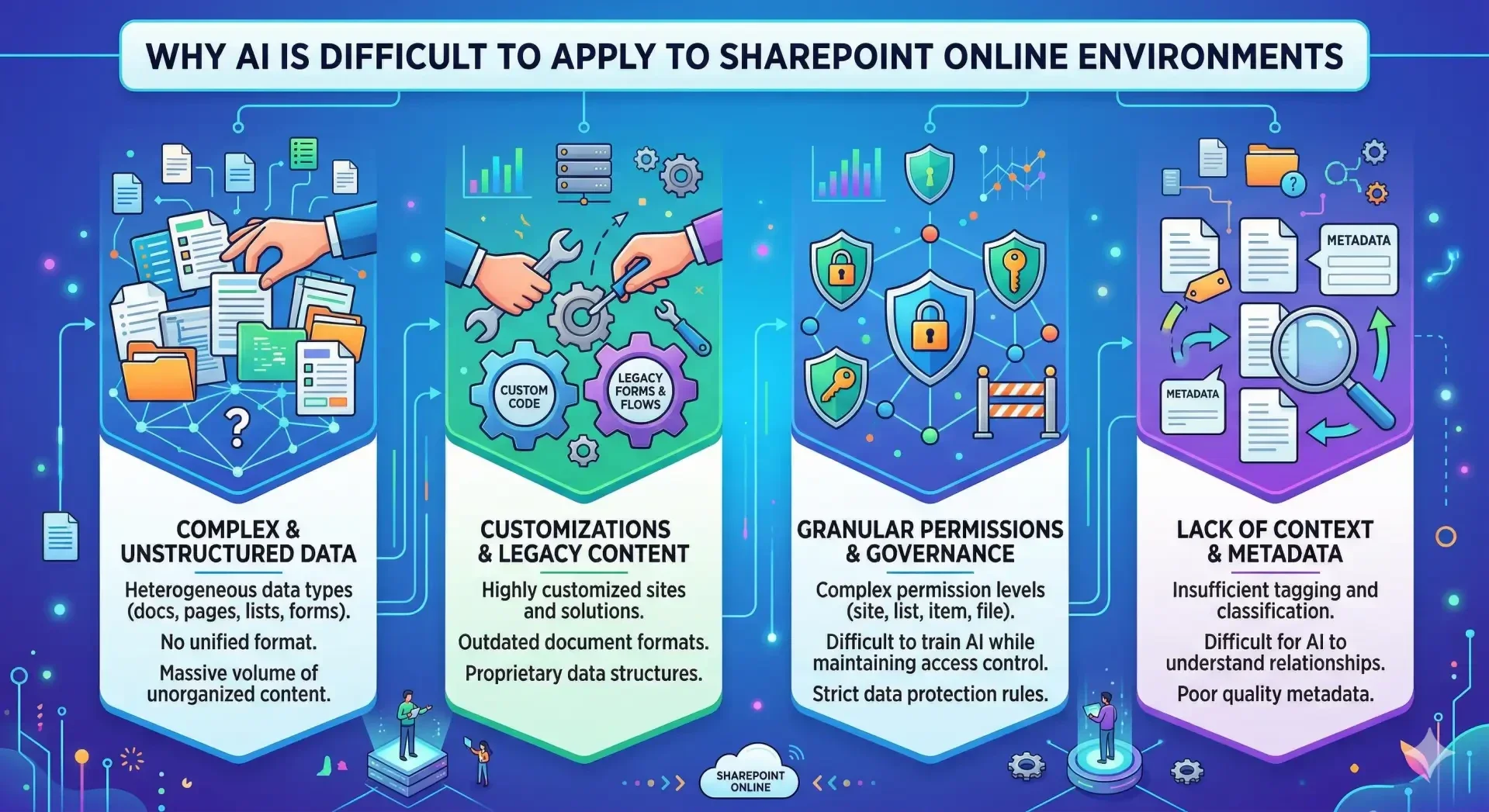
Understanding the Challenges: Applying AI to SharePoint Online
SharePoint Online serves as a foundational ecosystem for document management, collaboration, and knowledge sharing within modern enterprises. Its flexibility, extensive customization options, and deep integration with Microsoft 365 make it an indispensable tool. Paradoxically, the features that make SharePoint indispensable create unique hurdles when attempting to apply advanced AI solutions effectively.
This article outlines the four primary dimensions—data nature, legacy content, permissions structure, and contextual understanding—that make AI application within SharePoint Online inherently difficult.
1. Complex and Unstructured Data
SharePoint is a "catch-all" repository. It is designed to host an enormous variety of data types, ranging from tightly structured lists to completely unstructured creative content.
The Problem for AI
-
Heterogeneous Data Types: AI models thrive on standardized, uniform datasets to identify patterns and predict outcomes. A typical SPO site contains a mix of documents (Word, PDF), spreadsheets (Excel), presentations (PowerPoint), image and media files, list items, and dynamic pages. Creating an AI model capable of interpreting and relating these vastly different data types is an immense technical challenge.
-
Lack of Uniform Format: Within even a single data type (like PDF), the variance is massive. One PDF might be a structured invoice, another a creative marketing brochure, and another a scanned, handwritten image. Most standard AI engines require data preprocessing or "normalization" to function, which is often cost-prohibitive given the sheer volume of content in SharePoint.
2. Customizations and Legacy Content
Many SharePoint Online environments are not "out-of-the-box." They represent years, sometimes decades, of organizational growth, migration, and bespoke development.
The Problem for AI
-
Highly Customized Solutions: Organizations often use custom code (SPFx), third-party apps, or legacy features to meet niche requirements. This introduces proprietary data structures, custom list columns, and obscure document templates that generic AI models—even advanced large language models (LLMs)—simply cannot understand without expensive, site-specific training.
-
Outdated Document Formats: Large SPO ecosystems often contain outdated, non-indexed, or poorly OCR-ed document formats from previous SharePoint migrations. These files act as "black boxes" to modern AI, resulting in gaps in knowledge retrieval and less accurate model outputs.
3. Granular Permissions and Governance
SharePoint Online has one of the most sophisticated permissioning models available in enterprise software. Security trimming occurs at the site collection, site, list, folder, and individual item level.
The Problem for AI
-
The Access Control Dilemma: Training an AI model on an organization’s entire dataset seems beneficial. However, a model that learns from sensitive HR payroll data cannot ethically, legally, or logically serve those insights to a general employee.
-
Complex Governance: To be effective, an AI within SharePoint must inherit, understand, and apply these permissions instantly at run-time. A generic chatbot connected to SPO must know exactly what files the asking user can see and restrict its knowledge base dynamically. If the permissions model in SPO is "broken" or overly permissible (a common occurrence), AI will inadvertently amplify those security failures by making hidden sensitive information suddenly discoverable.
4. Lack of Context and Metadata
AI algorithms, even advanced natural language engines, lack human intuition. They interpret explicit input and rely on explicit markers of relevance.
The Problem for AI
-
Insufficient Tagging: Effective retrieval-augmented generation (RAG)—the primary method for applying LLMs to enterprise data—depends heavily on accurate metadata. If files are just thrown into generic "General" folders without proper columns (like "Department," "Status," "Project Code"), the AI cannot distinguish between a final authoritative document, a draft, or an outdated revision.
-
Understanding Relationships: A human understands that a design document from Project X is related to a meeting summary mentioning the same design elements, even if they are stored in separate sites. Most AI cannot inherently grasp these non-obvious context clues without extremely robust, semantic content classification (managed metadata) that many organizations have failed to implement consistently.
Conclusion
The difficulty in applying AI to SharePoint Online is not a failure of AI technology. It is a limitation imposed by the condition and architecture of the underlying data environment.
SharePoint is uniquely versatile, but that versatility often leads to information silos, sprawling site structures, poor metadata, and fragmented security. For AI to provide the transformative value promised, organizations must first view their SharePoint infrastructure not merely as a storage utility but as a vital knowledge ecosystem requiring disciplined data hygiene, modernized governance, and robust information architecture.