

SharePoint Mentor Curated Articles
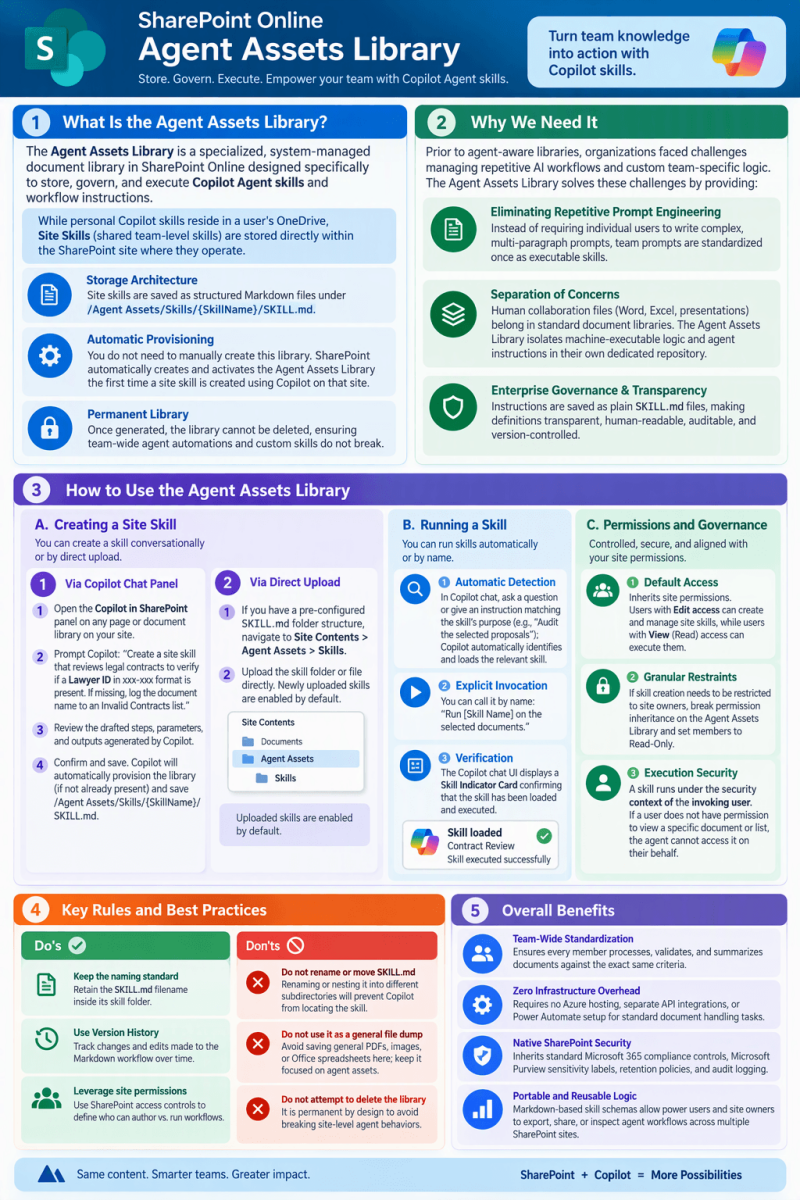
The SharePoint Online Agent Assets Library
1. What Is the Agent Assets Library?
The Agent Assets Library is a specialized, system-managed document library in SharePoint Online designed specifically to store, govern, and execute Copilot Agent skills and workflow instructions.
While personal Copilot skills reside in a user's OneDrive, Site Skills (shared team-level skills) are stored directly within the SharePoint site where they operate.
-
Storage Architecture: Site skills are saved as structured Markdown files under /Agent Assets/Skills/{SkillName}/SKILL.md.
-
Automatic Provisioning: You do not need to manually create this library. SharePoint automatically creates and activates the Agent Assets Library the first time a site skill is created using Copilot on that site.
-
Permanent Library: Once generated, the library cannot be deleted, ensuring team-wide agent automations and custom skills do not break.
2. Why We Need It
Prior to agent-aware libraries, organizations faced challenges managing repetitive AI workflows and custom team-specific logic:
-
Eliminating Repetitive Prompt Engineering: Instead of requiring individual users to write complex, multi-paragraph prompts to review contracts or format summaries, team prompts are standardized once as executable skills.
-
Separation of Concerns: Human collaboration files (Word, Excel, presentations) belong in standard document libraries. The Agent Assets Library isolates machine-executable logic and agent instructions in their own dedicated repository.
-
Enterprise Governance & Transparency: Because instructions are saved as plain SKILL.md files, definitions are transparent, human-readable, auditable, and version-controlled.
3. How to Use the Agent Assets Library
A. Creating a Site Skill
You can create a skill conversationally or by direct upload:
-
Via Copilot Chat Panel:
-
Open the Copilot in SharePoint panel on any page or document library on your site.
-
Prompt Copilot: "Create a site skill that reviews legal contracts to verify if a Lawyer ID in xxx-xxx format is present. If missing, log the document name to an Invalid Contracts list."
-
Review the drafted steps, parameters, and outputs generated by Copilot.
-
Confirm and save. Copilot will automatically provision the library (if not already present) and save /Agent Assets/Skills/{SkillName}/SKILL.md.
-
-
Via Direct Upload:
-
If you have a pre-configured SKILL.md folder structure, navigate to Site Contents > Agent Assets> Skills.
-
Upload the skill folder or file directly. Newly uploaded skills are enabled by default.
-
B. Running a Skill
-
Automatic Detection: In Copilot chat, ask a question or give an instruction matching the skill's purpose (e.g., "Audit the selected proposals"); Copilot automatically identifies and loads the relevant skill.
-
Explicit Invocation: You can call it by name: "Run [Skill Name] on the selected documents."
-
Verification: The Copilot chat UI displays a Skill Indicator Card confirming that the skill has been loaded and executed.
C. Permissions and Governance
-
Default Access: Inherits site permissions. Users with Edit access can create and manage site skills, while users with View (Read) access can execute them.
-
Granular Restraints: If skill creation needs to be restricted to site owners, break permission inheritance on the Agent Assets Library and set members to Read-Only.
-
Execution Security: A skill runs under the security context of the invoking user. If a user does not have permission to view a specific document or list, the agent cannot access it on their behalf.
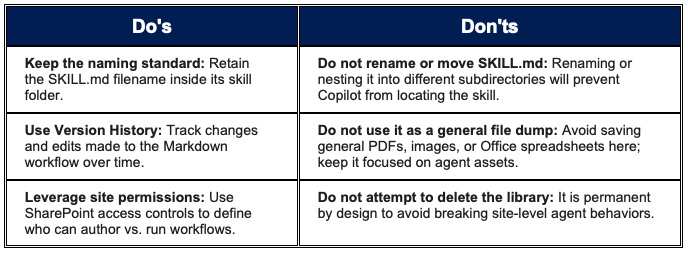
4. Key Rules and Best Practices
5. Overall Benefits
-
Team-Wide Standardization: Ensures every member processes, validates, and summarizes documents against the exact same criteria.
-
Zero Infrastructure Overhead: Requires no Azure hosting, separate API integrations, or Power Automate setup for standard document handling tasks.
-
Native SharePoint Security: Inherits standard Microsoft 365 compliance controls, Microsoft Purview sensitivity labels, retention policies, and audit logging.
-
Portable and Reusable Logic: Markdown-based skill schemas allow power users and site owners to export, share, or inspect agent workflows across multiple SharePoint sites.