

SharePoint Mentor Curated Articles
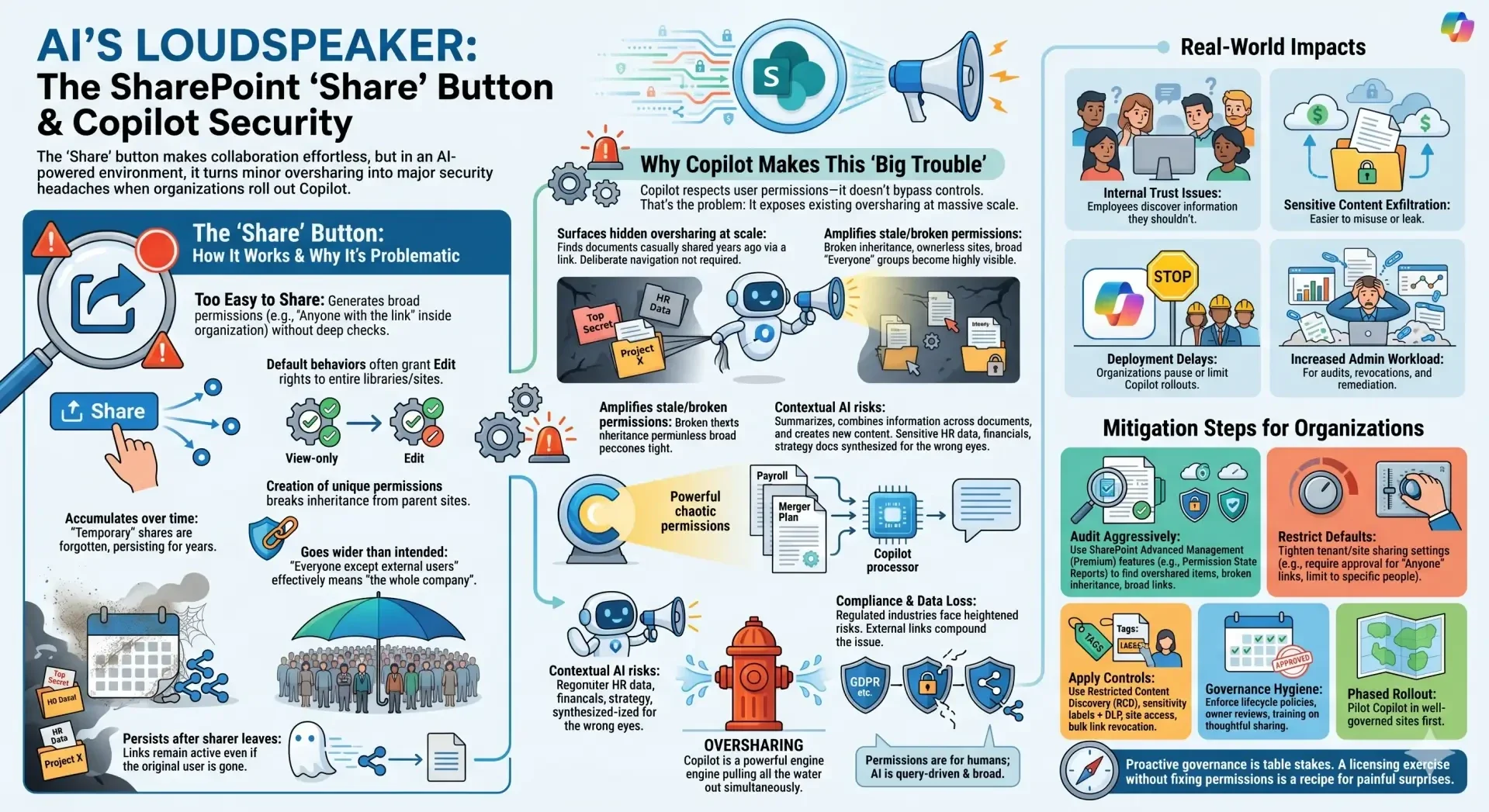
The "Share" button in SharePoint Online creates significant governance and security headaches when organizations roll out Copilot (or other AI features that leverage Microsoft Graph data from SharePoint).
How the Share Button Works and Why It's Problematic: The Share button (or "Copy link") makes sharing files, folders, libraries, or sites extremely easy—often too easy. Users can quickly generate links with broad permissions (e.g., "Anyone with the link" inside the organization, or even external access) without deep checks. Default behaviors frequently grant Edit rights to entire libraries or sites rather than view-only or specific people.
These sharing links:
- Create unique permissions that break inheritance from parent sites/libraries.
- Accumulate over time as "temporary" shares are forgotten.
- Often go wider than intended (e.g., "Everyone except external users" in large tenants effectively means "the whole company").
- Persist even if the original sharer leaves or changes roles.
This has always been a mild governance nuisance. Copilot changes it into a major risk amplifier.
- Microsoft 365 Copilot (including SharePoint agents) respects user permissions—it only surfaces data the querying user has access to via Microsoft Graph. It doesn't have super-user access or bypass controls. However, that's exactly the problem:
- It surfaces hidden oversharing at scale: If a document was casually shared years ago via a link, anyone with that access (or group membership) can now ask Copilot to summarize it, compare it, rewrite it, or pull insights from it in natural language. What used to require deliberate navigation suddenly appears in chat responses.
- Amplifies stale/broken permissions: Broken inheritance, ownerless sites, broad "Everyone" groups, and unrevoked links become highly visible. Copilot acts like a powerful search engine over your messy permission graph.
- Contextual AI risks: Copilot doesn't just list files—it summarizes, combines information across documents, and generates new content. Sensitive HR data, financials, strategy docs, or customer info shared too broadly can now be synthesized and exposed conversationally to people who shouldn't see the full picture.
- Compliance and data loss exposure: Regulated industries face heightened risks of accidental leaks, as AI makes it trivial to query and aggregate restricted information. External shares or lingering "Anyone" links compound this.
In short, permissions were designed for human, deliberate access. AI consumption is fast, broad, and query-driven, turning minor permission hygiene issues into widespread oversharing incidents.
Real-World Impacts
- Employees discover (or unintentionally access) information they shouldn't, leading to internal trust issues or compliance violations.
- Sensitive content becomes easier to exfiltrate or misuse.
- Deployment delays: Many organizations pause or limit Copilot rollouts until they clean up SharePoint permissions.
- Increased admin workload for audits, link revocations, and remediation.
Mitigation Steps Organizations Are Taking
- Audit aggressively — Use SharePoint Advanced Management (Premium) features like Permission State Reports to find overshared items, broken inheritance, and broad links.
- Restrict defaults — Tighten tenant/site sharing settings (e.g., require approval for "Anyone with the link," limit to specific people).
- Apply controls — Use Restricted Content Discovery (RCD), sensitivity labels + DLP, site access reviews, and bulk link revocation.
- Governance hygiene — Enforce lifecycle policies, owner reviews, and training on thoughtful sharing (avoid casual "Copy link").
- Phased rollout — Pilot Copilot in well-governed sites first.
The "Share" button isn't inherently bad—its convenience is a strength—but in an AI-augmented environment, unchecked use turns SharePoint from a collaboration tool into a potential data exposure machine. Organizations that treat Copilot deployment as purely a licensing exercise (without fixing permissions first) are setting themselves up for painful surprises.