

SharePoint Mentor Curated Articles
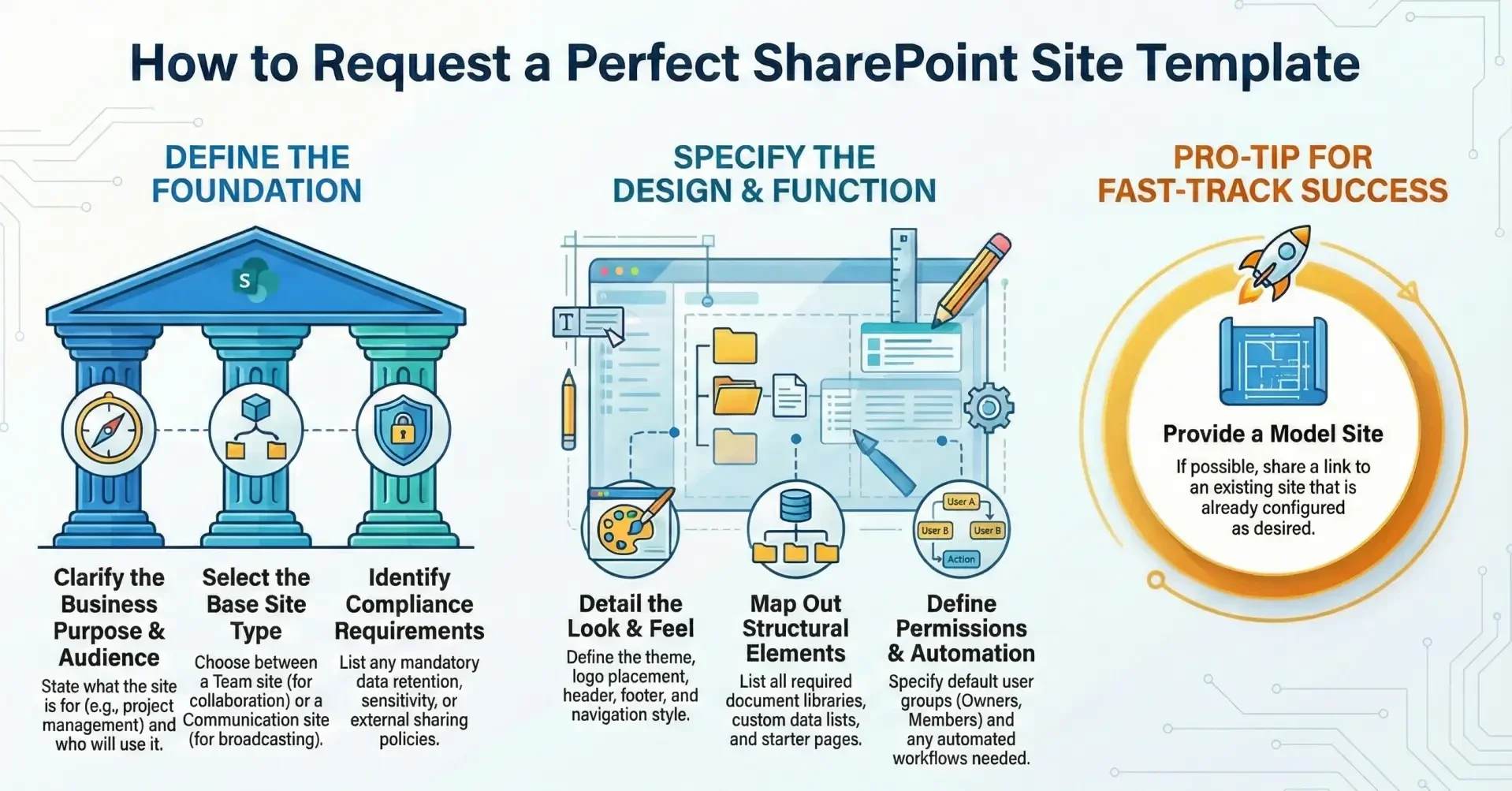
This detailed checklist is designed for SharePoint Online users (typically site owners or business stakeholders) to prepare and submit a well-structured request for the creation of a custom organizational site template.
This checklist aligns with current best practices (as of early 2026) and helps SharePoint administrators evaluate requests efficiently while promoting consistency, compliance, and maintainability across the tenant.
Business & Usage Context
- Clearly state the primary business purpose of sites created from this template (Example: “Project sites for cross-functional initiatives”, “Departmental knowledge bases”, “Customer-facing partner portals”)
- Identify the target audience and expected number of sites (Example: “200–300 project sites per year”, “All regional sales teams – approx. 45 sites”)
- Specify the site type the template should be based on
- Team site (Microsoft 365 group-connected)
- Communication site
- Other (specify)
- Indicate whether the sites will be connected to a hub (and if so, which hub(s))
- List any known regulatory / compliance requirements (e.g., sensitivity labels, retention policies, restricted external sharing, DLP requirements).
Look & Feel (Branding & User Experience)
- Desired site theme
- Existing organizational theme name
- New theme required (provide palette/hex codes or reference approved brand guidelines)
- Header requirements
- Layout (standard / compact / minimal)
- Background (image / solid color / none)
- Logo placement and file (recommended ≤ 400 × 100 px)
- Navigation style
- Horizontal / vertical / mega menu
- Key permanent links to include (max 8–10 recommended)
- Footer requirements (if any)
- Show/hide footer
- Static links / legal disclaimer text
- Preferred language/locale and time zone defaults (if different from tenant default)
Structural Elements (Lists, Libraries, Pages)
- Required document libraries (name + purpose + number expected) Example: “Project Documents”, “Contracts”, “Meeting Notes”
- Required custom lists (name + key columns) Example: “Project Risks” (Title, Status, Impact, Mitigation, Owner)
- Essential site pages and layout expectations
- Home page structure (sections, web parts)
- Additional starter pages (e.g., “About”, “Resources”, “FAQ”)
- Any pre-configured content types or managed metadata columns needed
- Default views to create on lists/libraries (including any grouping/sorting/filtering)
- Any folders vs. metadata strategy preference (metadata strongly recommended)
Permissions & Sharing Model
- Proposed default permission model
- Owners / Members / Visitors (standard M365 group)
- Custom SharePoint groups
- Read-only external sharing allowed. (Yes/No + conditions)
- Any automatic group membership requirements (e.g., auto-add “Project Managers” security group as owners)
- Sensitivity label / DLP requirements to enforce by default
Automation & Advanced Functionality
- Desired Power Automate flows to trigger on site creation (Examples: welcome email, create default approvals list, provision Teams channel)
- Any web parts that must be pre-added and configured (e.g., News, Events, Quick Links, Highlighted Content, custom SPFx)
- Integration requirements with other Microsoft 365 services (Planner, Teams, Forms, Power BI, Viva Engage feed, etc.)
- Any custom JavaScript/SPFx components needed (Note: CSP enforcement begins March 2026 — only trusted sources allowed)
Governance & Lifecycle Considerations
- Expected site lifecycle and archiving strategy
- Who should be site owner(s) by default after creation?
- Any mandatory naming convention for sites created from this template?
- Training / documentation needs for end users who will receive the template
Reference / Model Site (Strongly Recommended)
- Provide URL of an existing model/reference site already configured as desired (Best practice: Administrators can use this site to extract structure via PnP PowerShell)
- If no model site exists → indicate willingness to build one collaboratively
Request Submission Details
- Your name, department, role, and contact information
- Business sponsor name (if different)
- Priority / desired timeline
- Any attached supporting documents (wireframes, brand guidelines, example screenshots, process flows)
Following this checklist significantly increases the likelihood of timely approval and successful implementation, while reducing back-and-forth communication. Most organizations that maintain strong SharePoint governance require a completed version of a form containing these elements before beginning technical development of a custom site template.