SharePoint Mentor Curated Articles
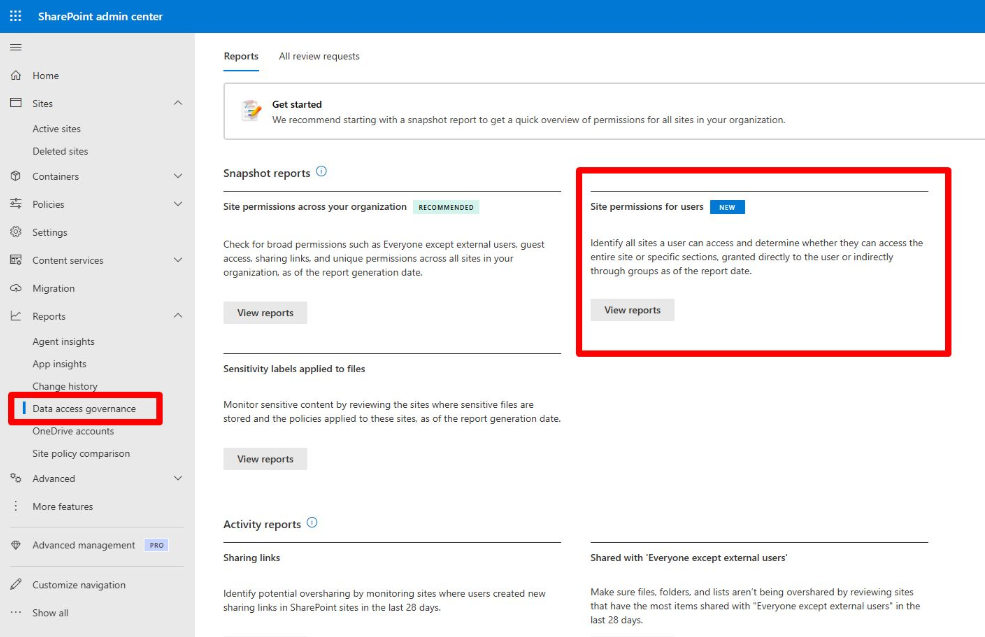
In the SharePoint Admin Center for SharePoint Online, the Data Access Governance features are located under the Reports section.
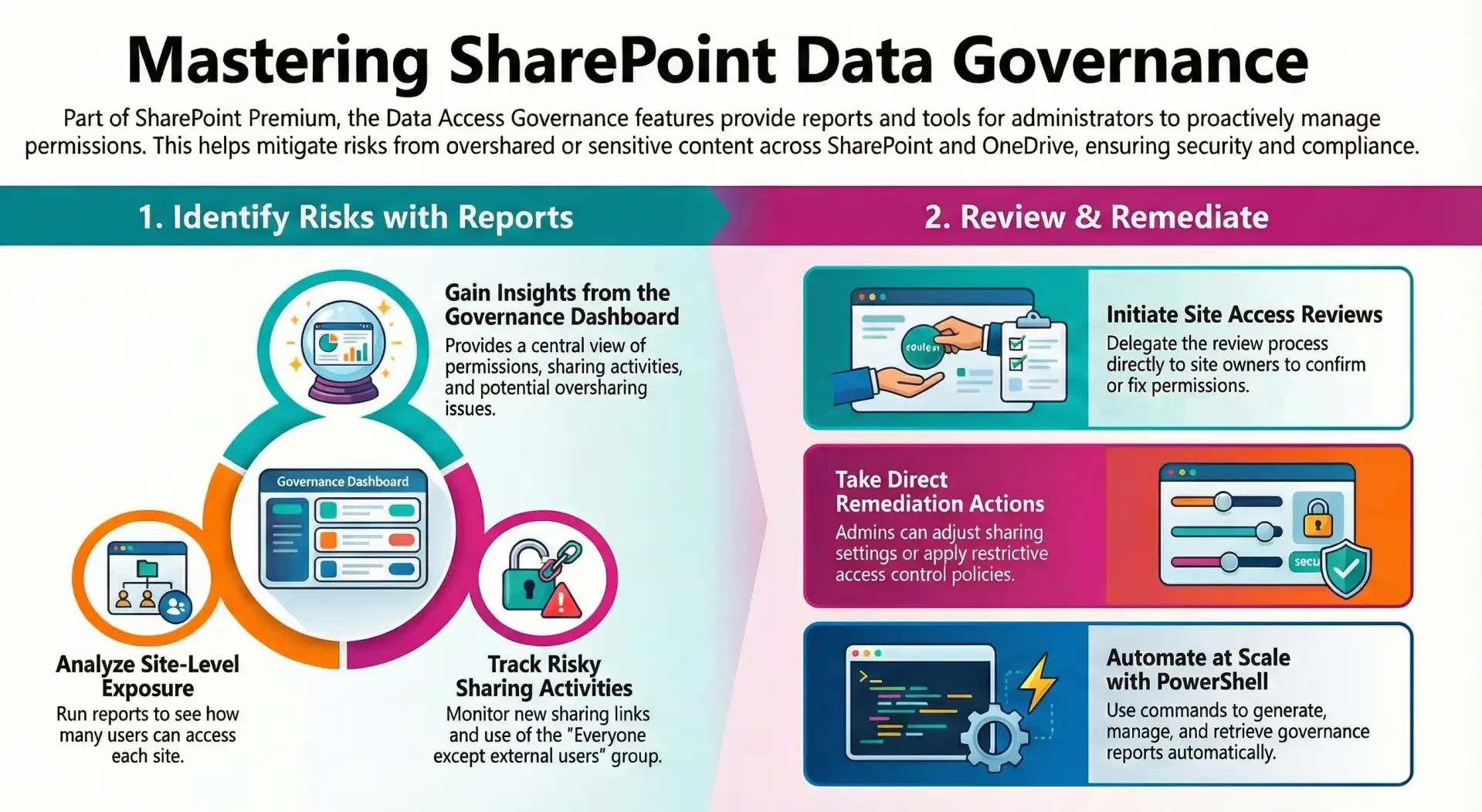
These features, part of Microsoft SharePoint Premium (SharePoint Advanced Management), assist administrators in identifying and mitigating risks associated with overshared or sensitive content across SharePoint sites and OneDrive accounts.
Key Components
- Data Access Governance Dashboard and Reports: This provides insights into site permissions, sharing activities, and potential oversharing. Reports are divided into snapshot reports (capturing permission states at a specific time) and activity reports (tracking recent changes over periods such as the last 28 days). Specific reports include:
- Site permissions for the organization: Displays exposure levels by showing the number of unique users with access to each site.
- Site permissions for specific users: Lists all sites accessible by selected users, including direct or group-based permissions at site, library, folder, or file levels.
- Sharing links activity: Identifies sites with the newest sharing links created (e.g., Anyone, People in your organization, or Specific people externally).
- Everyone except external users (EEEU) activity: Monitors additions or usages of the EEEU group, which grants broad internal access.
- Site Access Reviews: Administrators can initiate reviews for sites flagged in reports as potentially overshared. This delegates the review process to site owners, who receive notifications (with customizable email templates in recent updates) to assess and remediate permissions. Site owners gain visibility into permission distributions without full administrative access.
Additional Capabilities
- Remediation Actions: Following report analysis, administrators may review permission change history, adjust sharing settings, or apply policies such as Restricted Access Control.
- PowerShell Integration: For automation at scale, commands are available to generate, manage, and retrieve reports.
- Licensing and Prerequisites: Access requires appropriate licensing (e.g., Microsoft 365 Copilot assignment or standalone SharePoint Advanced Management). Certain reports may necessitate enabling data collection initially.
These features support proactive governance, particularly in environments adopting AI tools like Microsoft 365 Copilot, by ensuring permissions align with security and compliance requirements. For the most current details, refer to the official Microsoft documentation.