

SharePoint Mentor Curated Articles
Daily Checklist for SharePoint Online Site Owners
As a site owner, your primary responsibilities include maintaining site health, ensuring secure and appropriate access, promoting effective collaboration, and supporting end-user productivity. Site owners must proactively oversee content, permissions, and usage. The following daily checklist focuses on practical, high-impact tasks to keep the site operational and user-friendly.
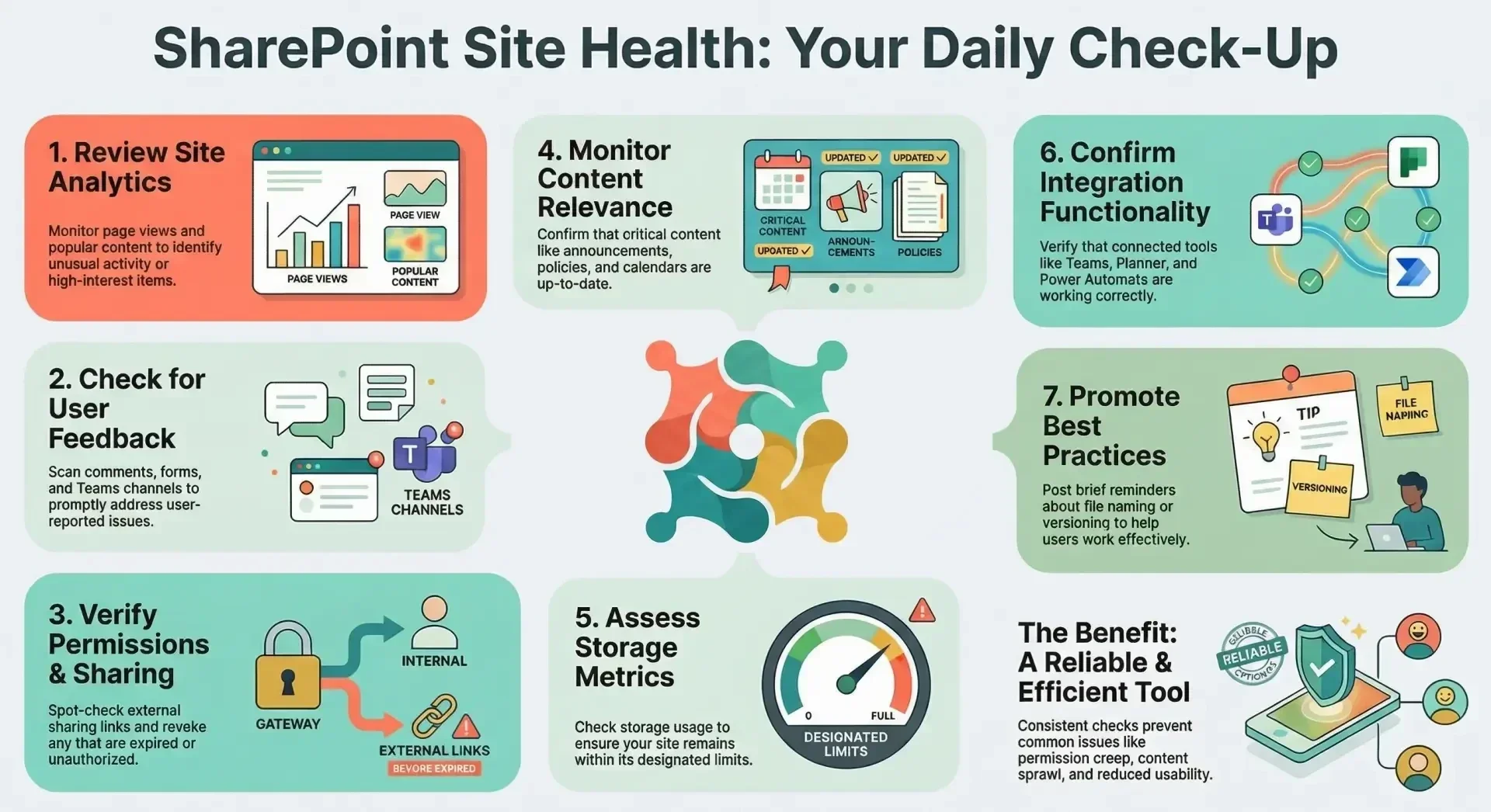
- Review Site Activity and Analytics Access the site's built-in analytics (via Site settings > Site usage) to monitor page views, popular content, and recent activity. Identify any unusual spikes in views or downloads that may indicate issues or high-interest items requiring updates.
- Check for User Feedback or Issues Scan site comments, feedback forms, Microsoft Forms integrations, or associated Teams channels for user-reported problems, questions, or suggestions. Respond promptly to maintain engagement and resolve minor issues before they escalate.
- Verify Permissions and Sharing Links Spot-check active external sharing links (via Site settings > Site permissions > Access requests and invitations) and review recent permission changes. Ensure no unauthorized shares are active and revoke expired or unnecessary links to uphold security.
- Monitor Content Updates and Relevance Browse key libraries, lists, and pages for new uploads or edits. Confirm that critical content (e.g., announcements, policies, or calendars) is current and flag any outdated items for review.
- Assess Storage and Performance Check site storage metrics (via Site settings > Storage metrics) to ensure usage remains within limits. Note any large files or libraries approaching thresholds and address them if necessary.
- Confirm Integration Functionality If the site integrates with Teams, Planner, or Power Automate flows, verify that these components are operational and that notifications or automations are functioning as expected.
- Promote Best Practices to Users If applicable, post or reinforce brief reminders (e.g., via a site news post) about proper file naming, versioning, or search usage to enhance end-user effectiveness.
By adhering to this checklist consistently, site owners can prevent common issues such as permission creep, content sprawl, or reduced usability, ensuring the site remains a reliable and efficient collaboration tool. For less frequent tasks (e.g., in-depth permission audits or content archiving), consider weekly or monthly schedules aligned with organizational governance policies. Consult your organization's SharePoint administrator for tenant-level concerns or advanced tools.