

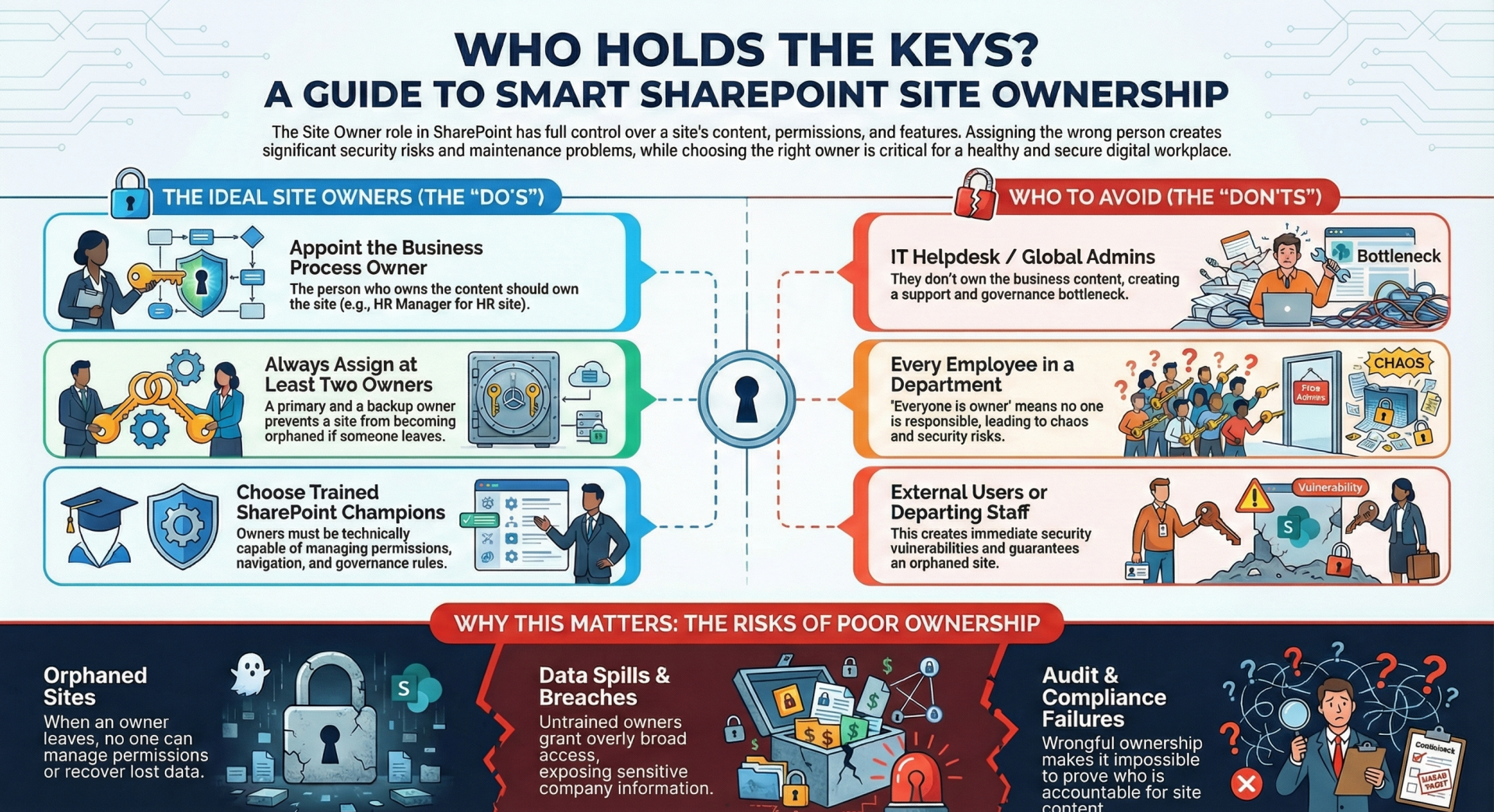
Some organizations let anyone create a new site and become the site owner while other organizations leave it to the IT department to create and "Own" SharePoint sites. Let's dive deeper into this topic.
Scenario 1 - Anyone can be a site owner
- Any member of the organization can directly create or request the creation of a new SharePoint site. When the site is created, they are listed as the site owner of the new site regardless of their skills related to managing a SharePoint site.
Scenario 2 - Only qualified members of the IT team can be site owners
- When a new SharePoint site is needed, the person who will be the main contact for the site contacts the IT team and requests that a new SharePoint site be created. During the this process, the IT team will work with the requestor to determine what kind of SharePoint site is needed, what the purpose of the site is, who will need access to the site (as a designer, member, or visitor) and what specific site configuration tasks are necessary before the site is ready for use. In this scenario, the requester does not get "owner" permissions to the new site and is not able to manage permissions for the site.
In SharePoint Online, the Site Owner role carries full control over the site and has significant responsibilities and risks. Choosing the right person (or people) as a Site Owner is critical for governance, security, and long-term maintainability.
Recommended People to Make Site Owners
Who
- Business process owner / department lead (e.g., HR Manager for the HR site, Project Manager for a project site)
- Dedicated SharePoint champion or power user in the department
- Information Management / Records Management lead (for sites with official records)
- Those technically capable and trained on SharePoint governance; can handle permissions, navigation, metadata, etc.
- Two people (primary + backup)
- Provides continuity if someone leaves the company or goes on leave. Microsoft recommends at least two owners on every site.
Common Pitfalls if Misassigned
- Too many owners → confusion; no owner → orphaned site.
- If they leave the department, ownership is forgotten.
- Only one owner → single point of failure (site can become orphaned).
- Non-expert owners accidentally delete or misclassify records.
Who Should Almost Never Be a Site Owner
- IT helpdesk / global admins / SharePoint tenant admins
- They don’t own the business process or content. Making them owner creates a support bottleneck and poor governance.
- External users (guests)
- Every employee in the department - “Everyone is owner” = no one takes responsibility; impossible to audit; high risk of accidental deletion or permission escalation.
- An employee who is leaving soon - Site instantly becomes orphaned when the account is disabled.
Microsoft’s Official Guidance (2024–2025)
- Every site must have at least two owners (Microsoft 365 security baseline).
- Owners should be individual user accounts (not groups, except Microsoft 365 Groups for group-connected sites).
- Prefer using Microsoft 365 Groups or Security Groups for Member/Visitor permissions, but keep Owners as individual accounts for accountability.
- Automate ownership assignment where possible (e.g., via Power Automate or provisioning solutions such as PnP Provisioning, AvePoint, ShareGate, or Microsoft Syntex/SharePoint Premium site lifecycle management).
- Practical Best-Practice Model Most Organizations Adopt
- Recommended Owners
- Team site (department) - Department manager + SharePoint champion in the department
- Project site - Project manager + project coordinator or lead
- Communication site - Primary content author + communications team lead
- Hub site - Central communications or digital workplace team (2–3 people)
- Sites containing sensitive or regulated data - Business owner + Information Governance / Compliance officer
- Why This Matters – Real-World Consequences
- Orphaned sites: When the only owner leaves → no one can manage permissions, recover deleted items, or apply retention → data loss or compliance violations.
- Over-permissive sites: Non-trained owners add “Everyone except external users” → data spills.
- Audit and eDiscovery failures: If a generic account or wrong person is owner, you can’t prove who did what.
- Licensing cost: Unused/orphaned sites still consume storage and increase backup/recovery costs.
- Quick Checklist When Assigning a Site Owner
- Is the person still employed and likely to stay in the role for >6–12 months?
- Do they understand SharePoint permissions and external sharing rules?
- Is there a trained backup owner?
- Is ownership documented (e.g., in a governance registry or in the site’s “Site information” panel)?
- Are you using a Microsoft 365 Group or Security Group for Members instead of individual assignments?