

SharePoint Mentor Curated Articles
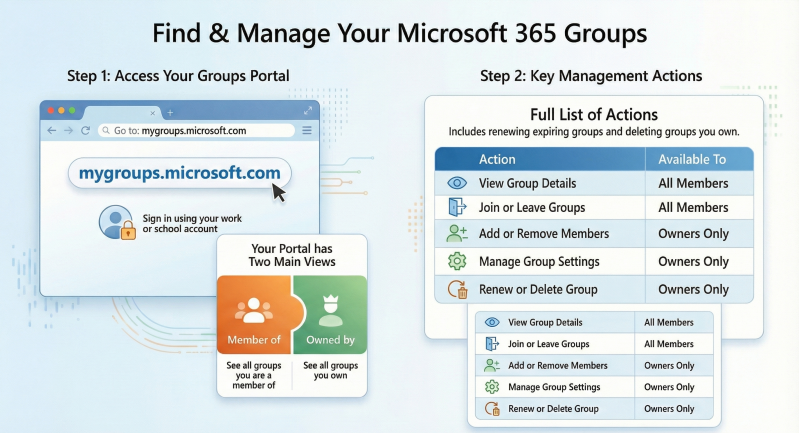
You can quickly locate the Microsoft 365 Groups you own by using the My Groups portal.
If you’re already comfortable with SharePoint and M365, you can also search for groups directly in Outlook (under Groups in the left navigation) or in Teams (where owned groups appear as teams).
Go to the My Groups Portal: https://mygroups.microsoft.com
- Sign in with your work or school account.
- You'll see two main sections:
- Groups I'm in: Shows all Microsoft groups you are a member of.
- Groups I own: Shows all groups where you're listed as an owner.
- What you can do there:
- Manage group settings (if you're an owner)
- View group details
- Create new groups (if permitted)
- Add or remove members (for groups you own)
- Renew expiring groups
- Delete groups you own
- Join or leave groups
- You'll see two main sections: